
What Is a "Tool" in AI Agents? (The Part That Makes Them Useful)
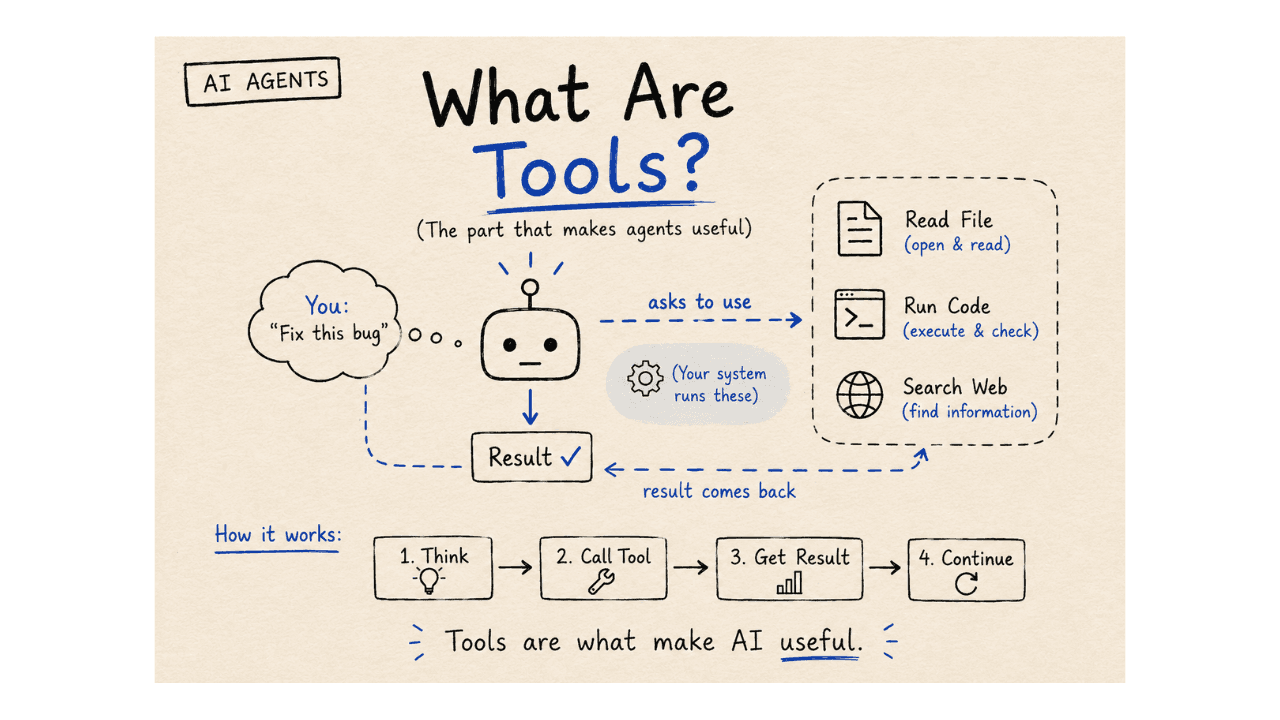
In the last post, we said this:
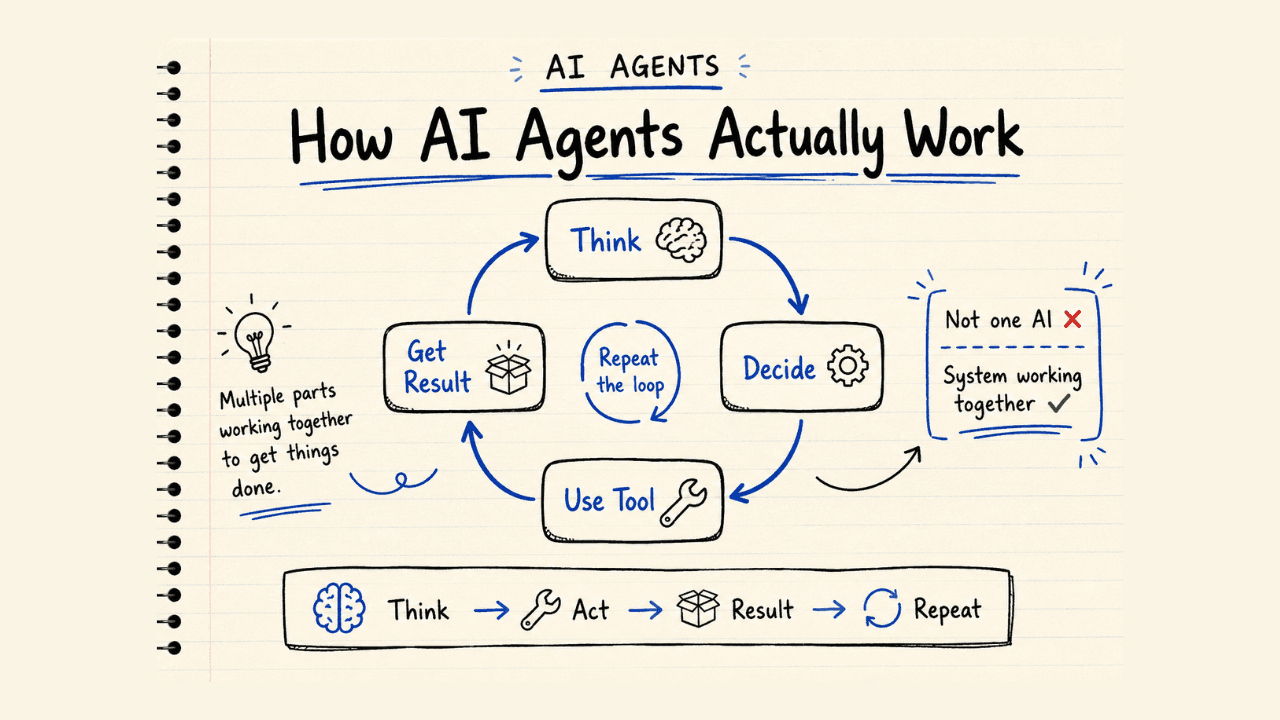
An agent = AI that keeps trying
But that brings up a fair question.
How does it actually do anything?
How does it open a file? Search the web? Run code and check if it worked?
The answer is one word: tools.
Start With What You've Already Seen
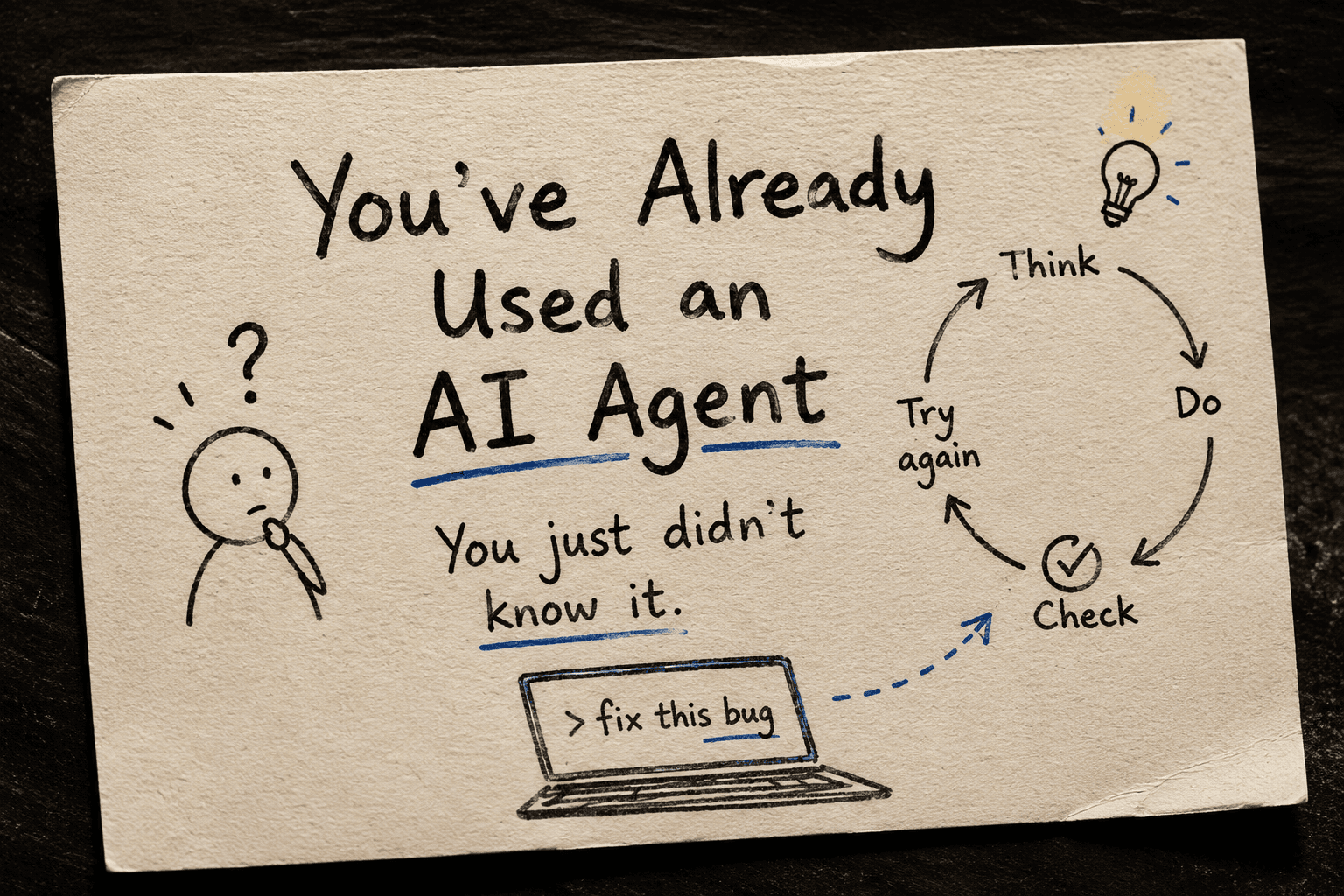
When you type "fix this bug" in Cursor or Claude OR any code editor with AI, it doesn't just write back a reply.
It opens your file. Changes something. Runs it. Checks if it worked.
It's not just thinking. It's doing things.
That's tools in action — you just didn't know that's what it was called.
So What Is a Tool?
A tool is just something the AI can use to do a real action.
Not think about it. Not describe it. Actually do it.
Search the web → that's a tool. Open a file → that's a tool. Run some code → that's a tool.
A tool can be anything that helps the AI achieve its goal. it can even be a simple function that returns a value. it can also be a complex function that does multiple things. it can be a python script. also can can be a software application that does multiple things.
Each one lets the AI reach outside the conversation and do something in the real world.
What Does It Look Like Under the Hood?
If you're curious about the technical side, here's a quick look.
A tool isn’t the command itself — it’s a capability the AI is allowed to use (like a function or API).
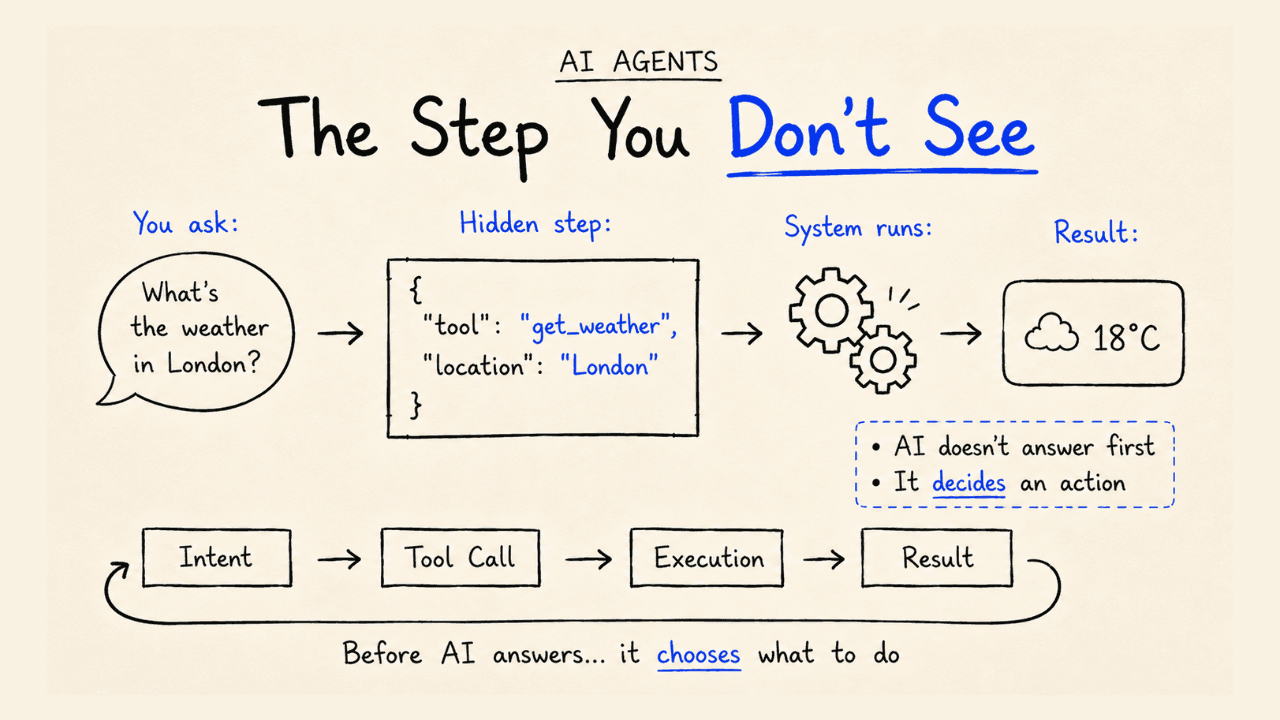
When the AI wants to use a tool, it sends a tool call — a structured request that says: "Use this tool with these inputs."
For example:
- Tool →
search_web - Tool call →
{
  "tool": "search_web",
  "input": "top AI startups 2026"
}
The system runs that tool, and the result comes back:
["OpenAI", "Anthropic", "Perplexity"]
Now the AI has real information to work with — not something it made up.
Same idea when it fixes your bug:
read_file("app.py")→ looks at your codewrite_file("app.py", ...)→ makes a changerun_code("app.py")→ tests if it works
That’s the whole “magic” behind tools like Cursor — it’s just AI using tools, one step at a time.
The Simple Way to Think About It
- AI = the brain — decides what needs to happen
- Tools = the hands — actually make it happen
Without tools, the AI can only talk. With tools, it can actually do things.
But Here’s the Part Most People Don’t Know
You might think the AI is the one running the tools.
It’s not.
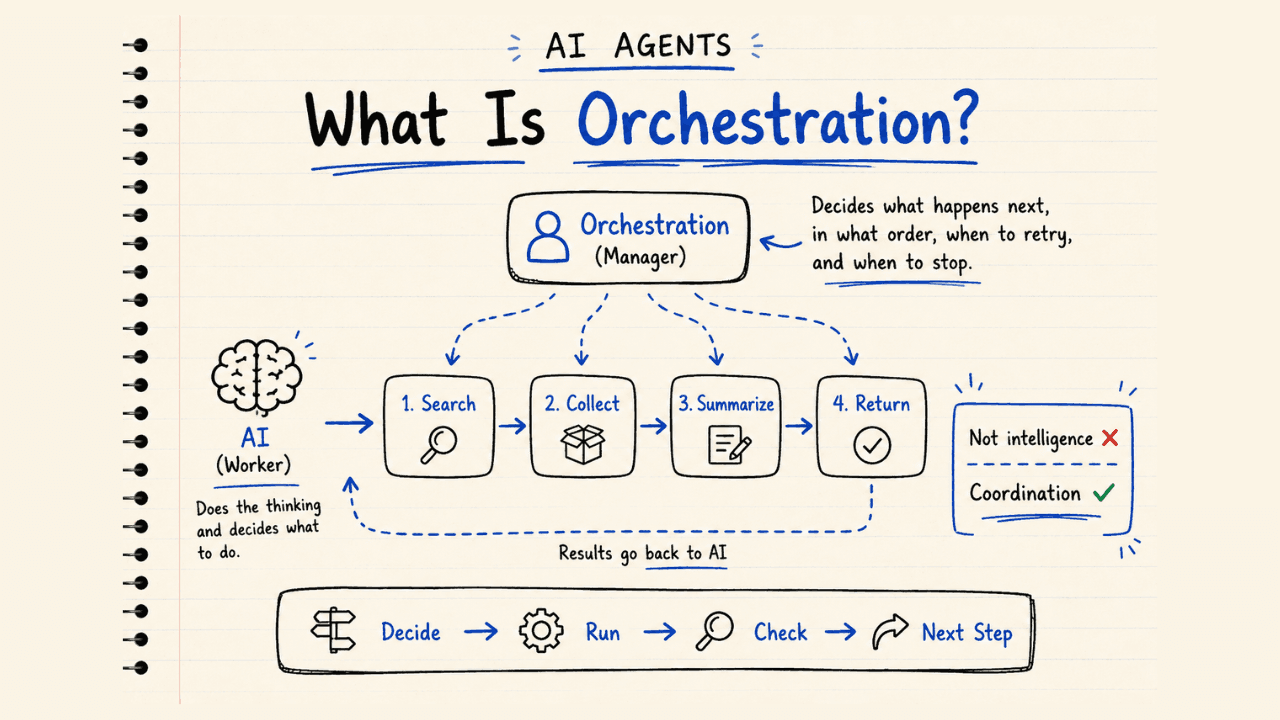
The AI asks. Something else does the actual execution.
Here’s how it really works:
Step 1 — The AI decides what it needs “I need to search the web.”
Step 2 — It sends a tool call A structured request instead of normal text:
{
  "tool": "search_web",
  "input": "top AI startups 2026"
}
Step 3 — Your app runs the tool Cursor, Claude, or your backend executes it.
Step 4 — The result comes back
["OpenAI", "Anthropic", "Perplexity"]
Step 5 — The AI continues It uses the result, decides the next step, and keeps going.
Why Does It Work This Way?
Because it keeps you in control.
The AI can only use the tools you give it. If a tool doesn’t exist, it simply can’t use it.
That’s why well-built agents feel safe — they’re limited by design.
One Line to Remember
A tool is a capability the AI can use — and a tool call is how it asks to use it. Your system is the one that actually runs it.
Now Think About This
If you could give an AI agent any tools you wanted:
- What would you connect to it?
- What tasks could it fully take off your plate?
Next up: How AI Agents Actually Work (Simple Architecture)